
World answer
What is the Black Flag Resynced world?
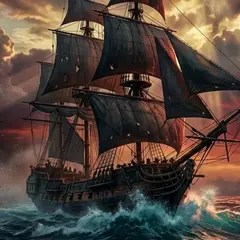
The world is the Caribbean route layer: major cities, islands, forts, shipwrecks, open waters, pirate allies, Assassin and Templar story context, sea shanties, viewpoints, treasure, and collectibles.
Region planning
How to choose the next Caribbean route
Pick the route by what you know first: a place, a coordinate, a character, a collectible type, or a mission.
| You know | Best answer | Why it helps |
|---|---|---|
| A coordinate | Map | Find nearby islands, cities, shipwrecks, and treasure routes |
| A city or island | Locations | Group nearby icons before sailing away |
| A character or faction | Characters | Understand the mission context before opening walkthrough routes |
| A song sheet or rooftop route | Sea Shanties | Pair movement checks with viewpoints and fragments |
| A ship fight or fort | Naval | Check Jackdaw power before starting the sea route |
World cleanup
What to clear before leaving a region
A region is rarely only one marker. Before sailing away, look for overlapping map, collectible, mission, treasure, and Jackdaw reasons to stay.
- Sync viewpoints or confirm the local map before chasing small icons.
- Search the city, island, fort, or water name in the database.
- Group fragments, shanties, chests, treasure maps, Templar keys, and Mayan stelae when they sit nearby.
- Check whether a mission or character route sends Edward back through the same area.
Four named stops
A region is finished only when its own reward or counter agrees
Use the place name to package work that shares one landing, not to assume every nearby icon has the same finish condition. Great Inagua, Matanzas, San Ignacio, and Black Island illustrate four different reasons a return sail can be wasted.
| Place in your route | Keep these jobs separate | Leave or return when |
|---|---|---|
| Great Inagua | Templar-key armor return, hideout interaction, Jackdaw purchase, and local cleanup are independent states. | Key inventory, armor state, ship menu, and local counter each match the job you came to finish. |
| Matanzas | A Tortuga treasure clue can lead to the buried Mortar Storage Ultimate Plan; the island's Mayan Stela is a different objective. | The dig reward is named in the ship menu, and the stela progress is checked separately if it was on this visit. |
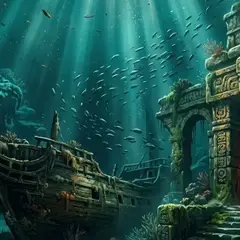
| San Ignacio | The Hull Armor Ultimate Plan lead is a wreck/dive route, not a surface coordinate or proof of a purchase. | Diving Bell access, underwater pickup, and the corresponding upgrade-menu state have been compared. |
| Black Island | The manor's second-floor outfit chest is a counted stop; the underwater shipwreck pistol pickup is a separate bonus stop. Confirm both states in the current save. | Check the named outfit or pistol inventory and the area counter separately; do not dive again merely because the bonus pickup did not advance the counter. |
Region travel decision
A city, a fort, and a small island should not share one cleanup plan
The Caribbean route changes with the kind of stop. A city rewards a viewpoint and rooftop pass; a fort asks for Jackdaw readiness before a land fight; a small island may need a shallow-water or clue check rather than another city-style marker sweep.
| Stop | Open with | Leave only after |
|---|---|---|
| Havana, Nassau, or Kingston | Sync a viewpoint and inspect rooftops, crowds, shanties, and fragments | The moving-sheet route and nearby vertical pickups are resolved |
| Fort region | Repair, restock, and prepare both naval and commander phases | Ownership, newly revealed region markers, and Fleet access are checked |
| Small island or playa | Confirm the map landmark and visible access method | The clue, chest, dive, or Animus-key state is recorded rather than guessed |
| Open water or wreck | Set a destination and choose surface or underwater equipment | The ship returns with the pickup or a precise unresolved landmark |