
Locations / Islands
Cape Bonavista
Read the active map or Secret marker first. Use 155, 591 as an island anchor, then choose the cave, river or puzzle approach in the current save.
- Coordinates
- 155, 591 (island map anchor)
- Area
- Cape Bonavista island
- Location
- southern beach cave, viewpoint-side river and Mayan Stela
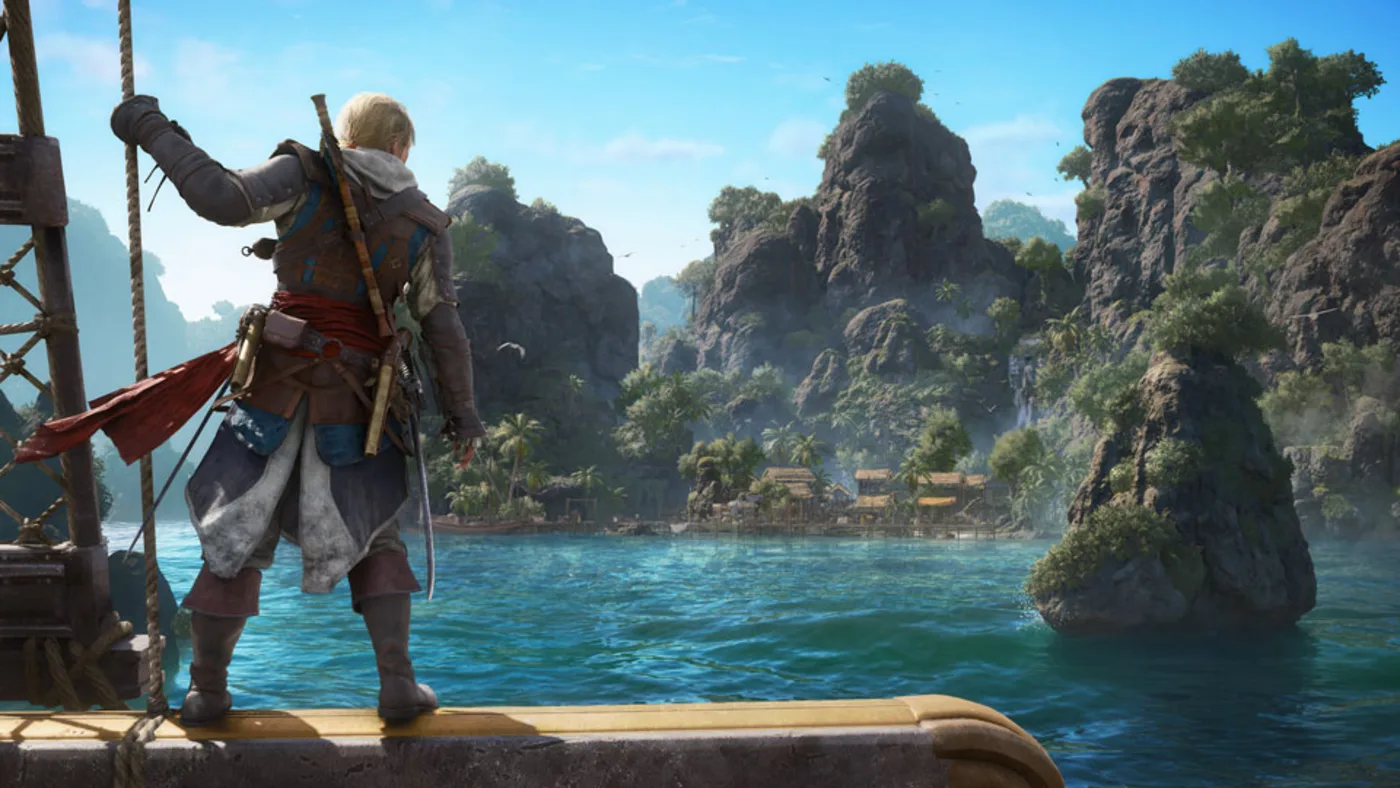
Player workbench
Identify which Cape Bonavista stop is unfinished: cave map and dig, viewpoint-side river trinket or Mayan Stela.
A stale tree-line clue sends treasure hunters away from the actual southern cave pool, while a nearby river Secret can be mistaken for the same reward.
Why this entry is useful
A four-result island ledger that separates cave clue, cave chest, air-safe river Secret and stela puzzle with distinct completion proof.
Current Resynced specialist routes place the cave map near 161, 585 and the dig pool near 146, 587; the viewpoint-side Diamond Trinket is around 151, 586. Verify all markers and rewards in the present build.
Read the active map or Secret marker first. Use 155, 591 as an island anchor, then choose the cave, river or puzzle approach in the current save.
The map is owned, the cave chest is opened, Diamond Trinket is named in inventory, and the stela puzzle state is checked separately; unfinished steps remain explicit.
What are you trying to do with this entry?
Choose one decision and follow 3 checks in order.
- Cave mapFor the treasure, confirm the map at the cave entrance near 161, 585, then enter the large cave from the southern beach and inspect the small pool near 146, 587 for the dig.
- River SecretFor Diamond Trinket, use the viewpoint-side river Secret near 151, 586. Mark a surface exit, make a short dive and read the trinket by name after surfacing.
- Stela puzzleFor the Mayan Stela, align the pattern from the current puzzle vantage and confirm its linked pickup; do not treat the cave chest or river trinket as proof of a solved stela.
Start with the first check above and keep the confirmed area, marker, or objective beside the next move.
A stale tree-line clue sends treasure hunters away from the actual southern cave pool, while a nearby river Secret can be mistaken for the same reward.
The map is owned, the cave chest is opened, Diamond Trinket is named in inventory, and the stela puzzle state is checked separately; unfinished steps remain explicit.
Recover the correct Cape Bonavista stop
The map, buried chest, river Secret and Mayan Stela use different interactions. A nearby coordinate or one open chest does not prove that the intended island task is finished.
The cave or river result does not match
If the dig is absent, confirm the cave-entrance map and search the small water pool at the end of the south-beach cave, not a tree line. If you find a trinket when you expected treasure, surface and keep the cave route unresolved. If a stela icon remains, solve the alignment interaction at its own marker and check the linked progress.
Pick island job → use its entrance → prove result
- For the treasure, confirm the map at the cave entrance near 161, 585, then enter the large cave from the southern beach and inspect the small pool near 146, 587 for the dig.
- For Diamond Trinket, use the viewpoint-side river Secret near 151, 586. Mark a surface exit, make a short dive and read the trinket by name after surfacing.
- For the Mayan Stela, align the pattern from the current puzzle vantage and confirm its linked pickup; do not treat the cave chest or river trinket as proof of a solved stela.
Cape Bonavista three-stop split
The cave dig, river Secret and stela are different jobs
Use the island anchor to choose a task, not to count everything as one treasure. The map begins near a cave entrance, its reward is in a southern cave pool, and the Diamond Trinket sits in a separate riverbed.
- 01
Need the treasure map
Do nextAt the cave entrance reached from the scaffold near 161, 585, inspect the reported corpse/map pickup. Confirm the Cape Bonavista treasure map in inventory before searching for its dig.
Read the current clueResult to checkThe map is owned; the buried chest remains a second route state.
If this does not match your save
If the body or map is absent, check the current cave entrance and map inventory rather than substituting the nearby river Secret or ordinary shipwreck chest.
- 02
Have the map; need the dig
Do nextEnter the large cave from Cape Bonavista's southern beach and continue to the small pool at the end near 146, 587. Look for the dig prompt there, not under shoreline trees.
Check the cave approachResult to checkThe buried chest opens and its present reward is recorded; the cited route does not confirm an amount.
If this does not match your save
If there is no prompt, confirm map ownership and the southern cave pool in your save. Do not search a generic tree line or call the map pickup the completed treasure.
- 03
Need Diamond Trinket
Do nextFrom the viewpoint-side river, mark a safe surface exit and make a short dive toward the separate Secret near 151, 586. This is not the cave treasure or a regular money chest.
Open the riverbed routeResult to checkDiamond Trinket appears by name in the trinket inventory; read its current oxygen-related effect before planning another dive.
If this does not match your save
If you collect money or a map, surface and return to the riverbed Secret marker. If air is low or the icon differs, reset from the bank and inspect the current map.
- 04
Need the Mayan Stela
Do nextAt the separate stela marker, climb to the viewing point and align the circular pattern with the ground reference in the present puzzle before descending to its revealed pickup.
Check the stela chainResult to checkThe stela interaction and linked collectible state change; neither the cave chest nor river trinket proves this puzzle is done.
If this does not match your save
If the alignment does not register, change the vantage or camera at the active stela rather than moving to a chest marker. Keep this puzzle as a separate return state.
Before you leaveRecord four outcomes independently: map owned, cave reward opened, river trinket named, and stela puzzle completed. A single island counter or a copied list total cannot identify the unfinished stop.
Route Plan
Pick island job → use its entrance → prove result
Cape Bonavista's treasure map starts at a cave entrance, its dig lies by a small pool at the end of the southern beach cave, and the Diamond Trinket is a separate viewpoint-side river Secret. Solve the Mayan Stela as another task; do not follow an old shoreline-tree dig cue.
- First choose the missing job: cave map, cave dig, riverbed trinket or stela puzzle. The 155, 591 pair is only an island anchor.
- For treasure, confirm the cave-entrance map near 161, 585 before checking the small-pool dig near 146, 587; the tree line is not the current route lead.
- For the river, keep an air-safe return near 151, 586 and verify Diamond Trinket by name; for the stela, confirm the puzzle result separately.
Two nearby water routes, two different interactions
Two nearby water routes, two different interactions
The south-beach cave ends at a dig; the viewpoint-side river ends at an underwater Secret. Their map proximity is not evidence that they share a reward.
- For the cave, secure the map first, use the beach entry and search the small pool at the cave's end.
- For the river, plan a surface return, dive to the Secret and check Diamond Trinket by name.
- If one route yields the other item's family, preserve the result and keep the intended stop unresolved.
Leave with a specific island remainder
Leave with a specific island remainder
The stela and other visible pickups have their own markers. Do not turn an inconsistent source list into a completion claim.
- Confirm the stela alignment and pickup state separately from treasure-map and trinket inventory.
- Use the current local map to identify any ordinary chest or moving song sheet still visible after the three featured stops.
- Save the exact unfinished marker and the access problem before returning to the Jackdaw.



Common Questions
Where is the Cape Bonavista treasure-map dig?
After confirming the cave-entrance map near 161, 585, enter the large cave from the island's southern beach. The current Resynced lead puts the dig in a small pool near the cave's end around 146, 587, not under a shoreline tree. Verify the prompt and chest reward in your save.
Is the Cape Bonavista riverbed Secret the treasure chest?
No. The viewpoint-side river Secret near 151, 586 is a separate Diamond Trinket dive. Keep a safe surface return, then check the trinket name and present effect in inventory; the cave map and buried chest remain their own route.
How do I know the Mayan Stela is finished?
Use the stela's own alignment interaction, then check its linked pickup or collectible state. A completed cave chest or river trinket does not prove the stela puzzle is solved.