
Locations / Islands
Long Bay
Use Long Bay as a islands route hub: anchor 565, 539 in Long Bay, group the nearby checks, and save the next waypoint before leaving.
- Coordinates
- 565, 539, 579, 720, 525, 253, 144, 98
- Region
- Long Bay
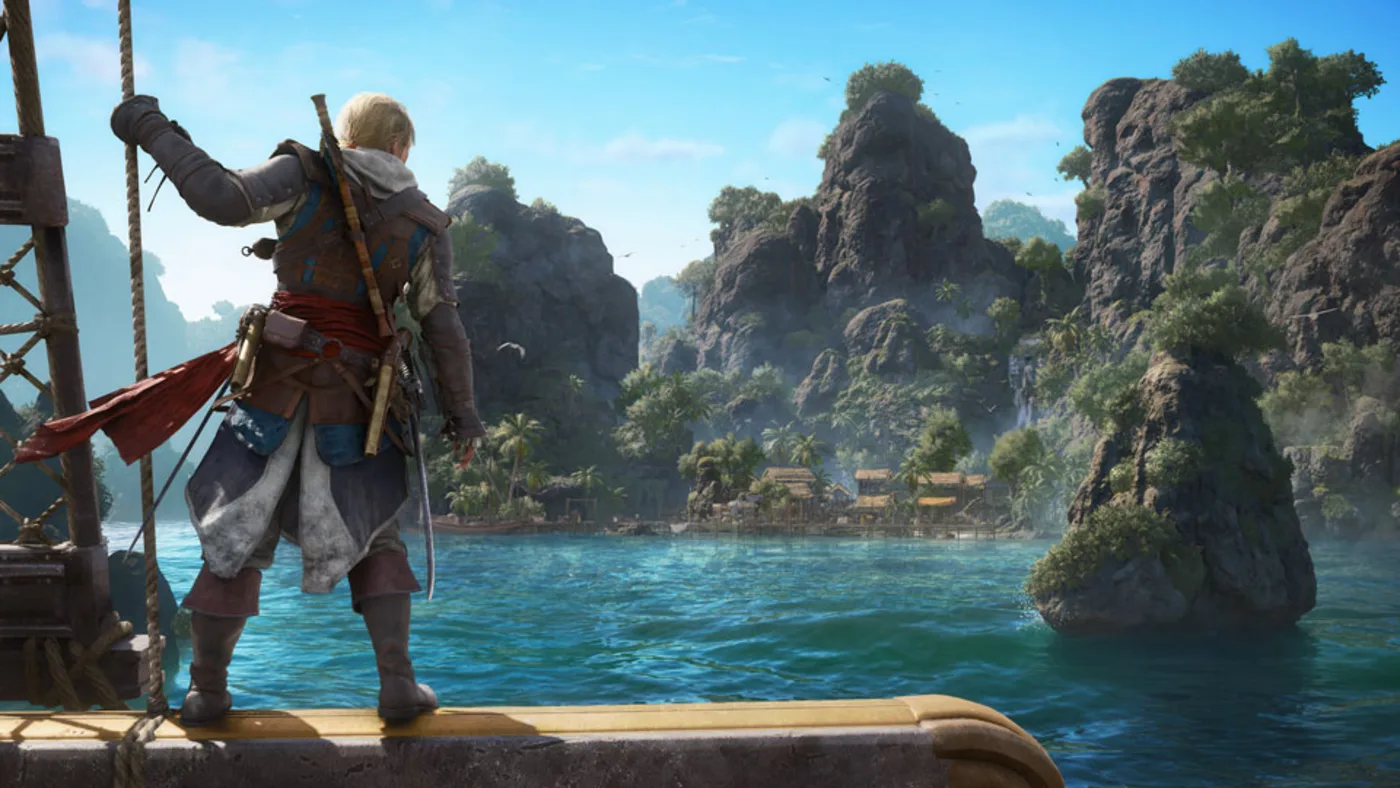
Player workbench
Use Long Bay as a practical location hub before leaving Long Bay.
A place name is only useful when it groups the checks that share the same landing, water heading, or progression state.
Why this entry is useful
A place-type itinerary that turns one location record into a local sweep, access check, and leave-region decision.
A location record is a route anchor, not proof that every nearby collectible, fort, mission, or reward is complete.
Anchor the route at 565, 539, choose one stopping condition, and record the next waypoint before opening every nearby icon.
The location packet has a confirmed anchor, nearby work, an access condition, and a clear reason to stay or leave.
What are you trying to do with this entry?
Choose one decision and follow 3 checks in order.
- AnchorConfirm Long Bay at 565, 539.
- GroupAdd only markers that share this landing or water heading.
- LeaveSave the smallest unresolved family before sailing away.
Start with the first check above and keep the confirmed area, marker, or objective beside the next move.
A place name is only useful when it groups the checks that share the same landing, water heading, or progression state.
The location packet has a confirmed anchor, nearby work, an access condition, and a clear reason to stay or leave.
Use the place as the unit of travel
The useful unit on Long Bay is not one icon; it is the landing, heading, and stopping condition around 565, 539. Group work that shares the same access and leave with a saved next waypoint.
When the place name is ambiguous
Add the region or place type to the search, then confirm the coordinate or nearest viewpoint in the current save before treating the hub as complete.
Build a location packet
- Anchor: confirm 565, 539 and the Long Bay place type in the current map.
- Bundle: add only nearby markers that share the same landing, water heading, or objective.
- Exit: save the unresolved family or next waypoint before sailing away.
Route Plan
How to use Long Bay
Use Long Bay as a route hub for nearby collectibles, treasure maps, forts, contracts, or mission cleanup. Known coordinate checks include 565, 539.
- Open the map, group nearby checks, and confirm the local marker state before sailing.
- Start with Long Bay check before moving to nearby markers.
- Mark 565, 539 before you leave port or fast travel.
- Confirm the reward or completion state before leaving the area.
Save Checklist
Save Checklist
Use these checks before marking Long Bay complete.
- Entry type: Location.
- Recommended check: Check map.
- Main risk: Repeated fast travel, missed route clusters, or unfinished local cleanup.
- Confirm the marker, reward, or requirement in the current Resynced build.
- Open next: map.
Region Sweep
Region Sweep
Use this location as a route hub when several checks sit in the same waters, city block, island, or ruin.
- Mark the listed coordinate cluster first: 565, 539.
- Clear viewpoints or fast-travel anchors before chasing smaller icons.
- Use the location as the container for nearby collectibles, treasure maps, contracts, and mission cleanup.
Nearby Checks
Nearby Checks
The value of a location page is what it helps you group before leaving.
- Search the same place in Collectibles before sailing away.
- Open Treasure Maps if the region connects to a clue, dig point, or buried reward.
- Open Jackdaw Upgrades or Naval if the nearby route involves forts, hard waters, or elite plans.
Leave-Region Safety
Leave-Region Safety
Close the region only after checking the local map state.
- Confirm visible markers, counters, and any active mission route in your save.
- Do not treat older route memory as final until the current build confirms marker behavior.
- Return to Map if another coordinate or nearby island remains unresolved.


Common Questions
What should I anchor first at Long Bay?
Start with the 565, 539 anchor for Long Bay, then use the nearest viewpoint or harbour approach to identify the correct landing or entry. An island route is easiest to close by grouping shoreline, viewpoint, and inland checks before the next sail.
Which nearby checks belong in the Long Bay route?
Bundle only markers that share this islands approach: the ones attached to Long Bay, the same water heading, or the same access line. Keep 565, 539 as the return point before sailing away.
When is the Long Bay sweep finished?
Leave Long Bay only after the 565, 539 anchor is confirmed, the nearest viewpoint or harbour approach access has been tested, and the remaining collectible, treasure, mission, or naval family is written down. A location anchor is not proof that every nearby icon is complete.